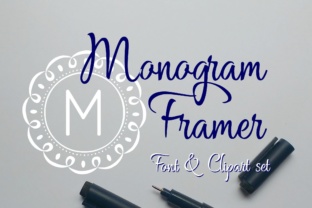
Monogram Framer: Designing Custom Logos with Ease
If you’ve ever tried to create a monogram for yourself, a client, or a project, you know the struggle. You either spend hours tweaking vector paths in Illustrator or settle for a generic font combination that feels flat. That’s where Monogram Framer steps in—a dedicated resource built inside Framer, the popular design and prototyping tool. Think of it as a ready-made system that lets you generate polished, custom monograms without needing to be a typography expert or a graphic designer. Instead of starting from a blank canvas, you get a flexible set of components, layout options, and styling controls that make the process feel like simple tweaking rather than heavy lifting.
Monogram Framer isn’t just another template; it’s a framework that respects your time and creative needs. Whether you’re building a personal portfolio, a brand identity for a small business, or even just a watermark for your Instagram posts, this tool can shave hours off your workflow. But let’s get into the real-world scenarios—because that’s where the value truly lives.
Freelancers and Solo Creators: Speed Without Sacrifice
As a freelancer, you’ve likely worn the “I also design logos” hat even though your main expertise is web design, copywriting, or photography. When a client asks for a simple monogram, you don’t want to bill them for five hours of vector noodling. Monogram Framer allows you to produce something professional in under an hour. You open the file, swap out the initials, adjust the spacing, pick a color palette that matches the brand, and export. Done.
But more importantly, you can reuse the same setup across different projects. Once you get comfortable with the built-in components, you can modify the arrangement—stacked, horizontal, or integrated into a badge shape—without rebuilding anything. That flexibility is gold when you’re juggling multiple gigs. It’s also a confidence booster: you know the output will look intentional because the underlying structure was designed with balance and legibility in mind.
Agencies and Teams: Streamlining Consistency
In an agency setting, branding consistency is a constant headache. Different team members have different software preferences, and monograms often end up looking like they came from different planets. Monogram Framer helps standardize the process. Because it lives entirely inside Framer, everyone on the team can work from the same file, use the same text styles, and apply the same constraints. No more “Can you send me the original AI file?” (spoiler: nobody can find it).
You can also create variations for sub-brands or product lines without starting over. Imagine you’re building a brand system for a restaurant group. Each restaurant needs its own monogram, but they should all feel like a family. With Monogram Framer, you can lock down the font and spacing rule, then let each team member tweak colors and scale. The result is a cohesive set of marks that still have their own personality. That kind of efficiency is hard to beat when you’re facing tight deadlines.
Startups and Small Business Owners: DIY Identity Done Right
Not every startup has a logo budget. Early-stage founders often bootstrap everything, and a monogram can be a smart first step for a brand mark. It’s simple, memorable, and works well in small spaces like social media avatars or app icons. Monogram Framer gives founders a way to create that mark themselves, without resorting to a logo maker that hands you a reversible generic icon.
You don’t need to be a designer. You just need to pick the letters that represent your business (maybe your company’s initials) and then play with the options until it looks right. The interactive sliders and dropdowns inside Framer let you see changes in real time. That immediate feedback loop is addictive—and it helps you develop a sense of what works visually. Before you know it, you’ve got a monogram that you’re proud to put on your business card. If down the road you hire a professional designer, you can hand them the Framer file as a starting point, which saves them (and you) time.
Personal Branding and Side Projects: Keeping It Fun
Maybe you’re not running a business. You’re a developer with a blog, a podcaster, a YouTuber, or someone who just wants a neat signature for your digital content. Monogram Framer is almost too easy to use for these casual projects. You can create a personal monogram in ten minutes, export it as a high-res PNG, and slap it on your website footer, your newsletter template, or even your merch mockup.
I’ve seen people use the same monogram as a subtle watermark on their photography portfolio—it adds a touch of professionalism without being intrusive. Others have taken the monogram and turned it into a favicon by scaling it down and adjusting the stroke width. The versatility comes from the fact that the monogram is built with clean shapes, so it remains recognizable at tiny sizes. That’s something many free logo generators fail at.
Different Industries, Different Twists
Monograms aren’t just for fashion brands or law firms. Let’s look at some industry-specific angles:
- Creative agencies: Use the monogram as a stamp on case study PDFs or as an animated intro in client presentations (Framer supports interactions).
- Food and beverage: A circular monogram works beautifully on takeout packaging or chalkboard signs. You can embed it in a badge shape that Mimics a classic seal.
- Tech products: Minimalist monograms fit right into a clean, modern UI. Use one as the icon for your app or as part of your login screen branding.
- Nonprofits and education: Monograms can be a cost-effective way to brand a program or event. A summer camp, for instance, can have its own monogram based on the location initials.
Each scenario requires slight tweaks—maybe a different font weight, more spacing, or a secondary color overlay. Monogram Framer typically gives you enough control to make those adjustments without breaking the design. That’s what makes it practical rather than theoretical: it respects the nuances of real-world application.
Strengths Worth Highlighting
If I had to summarize why people keep reaching for Monogram Framer, it comes down to three things: speed, consistency, and no-code customisation. You’re not writing CSS, you’re not adjusting anchor points in a vector path; you’re simply using smart components that respond to your choices. The learning curve is shallow enough that you can get a decent result in your first session. And because it’s inside Framer, you can integrate the monogram directly into a prototype or a live site if you’re using Framer to host your website. That’s a seamless workflow that traditional graphic design tools don’t offer.
Another strength is community support. Since Monogram Framer is a specific resource, there are usually tutorials, video walkthroughs, and forum threads where people share their customisations. You’re not stuck figuring out a quirky setting alone. That kind of ecosystem makes the tool more approachable for non-designers.
Common Considerations Before Diving In
Before you rush to download or purchase (most Monogram Framer packs are paid, but reasonably priced), here are a few things to keep in mind.
First, you do need a working knowledge of Framer. Not expert level, but you should know how to open a project, navigate layers, and publish or export. If you’ve never used Framer before, budget an hour to get comfortable. The good news is that Framer itself is intuitive, and Monogram Framer packs often come with clear instructions.
Second, consider your end use case. If you need a monogram to print on physical goods at high resolution, make sure the export settings in Framer give you enough pixels. Most modern Monogram Framer packs support SVG export, which is ideal. But if you’re using the free version of Framer, check export limitations. Sometimes you need a Pro account to get transparent PNGs or vector exports.
Third, be realistic about customisation limits. Monogram Framer is not a full-blown logo creator. You can tweak fonts, spacing, layout, colors, and maybe a few decorative elements. But if you need a highly illustrative monogram with ornate flourishes or custom lettering, you’ll likely need a proper vector tool or a professional designer. The tool is brilliant for clean, modern, typography-driven monograms—exactly the style that works for most contemporary brands. Just don’t expect it to turn into a calligraphy studio.
Potential Limitations to Keep in Mind
One limitation is the dependency on Framer itself. If you dislike the Framer interface or prefer working in Figma or Sketch, Monogram Framer might feel like an extra step. You can export the result and bring it elsewhere, but the editing experience is locked inside Framer. Also, not all Monogram Framer packs are created equal. Some are more flexible than others. Look for packs that include multiple layout presets, easy font swapping, and responsive scaling. Read reviews or ask the creator how many variations they included.
Another potential downside is that monograms follow trends. If you buy a pack that has a very distinct 2023/2024 aesthetic (thick geometric letters, tight spacing), it might date your brand in a few years. To avoid that, choose packs that let you adjust spacing and font weight freely. A well‑built Monogram Framer system should allow you to create something timeless, not locked into today’s fads.
Bringing It All Together: Real-World Example
Let me paint a quick picture. Suppose you’re a freelance wedding photographer named Alex. You want to start putting your mark on every photo you deliver—a small monogram “AM” in the corner. You don’t want a cheesy watermark. You open Monogram Framer, pick a serif font variation, tweak the letter overlap, and choose a muted gold color that matches your brand. You export a transparent PNG at 600px wide. Now you have a watermark that feels premium. Later, you use the same monogram on your business card mockup in Framer. The whole thing takes twenty minutes. That’s the kind of practical win that makes a tool stick in your workflow.
Whether you’re a seasoned designer who wants to speed up production, a business owner handling your own branding, or a creator adding a personal touch to your content, Monogram Framer offers a smart middle ground. It’s not a magic solution for everything, but for the job of creating clean, custom monograms quickly, it’s hard to beat. Try it on your next project and see how much headspace you save—you might find yourself using monograms in places you never considered before.